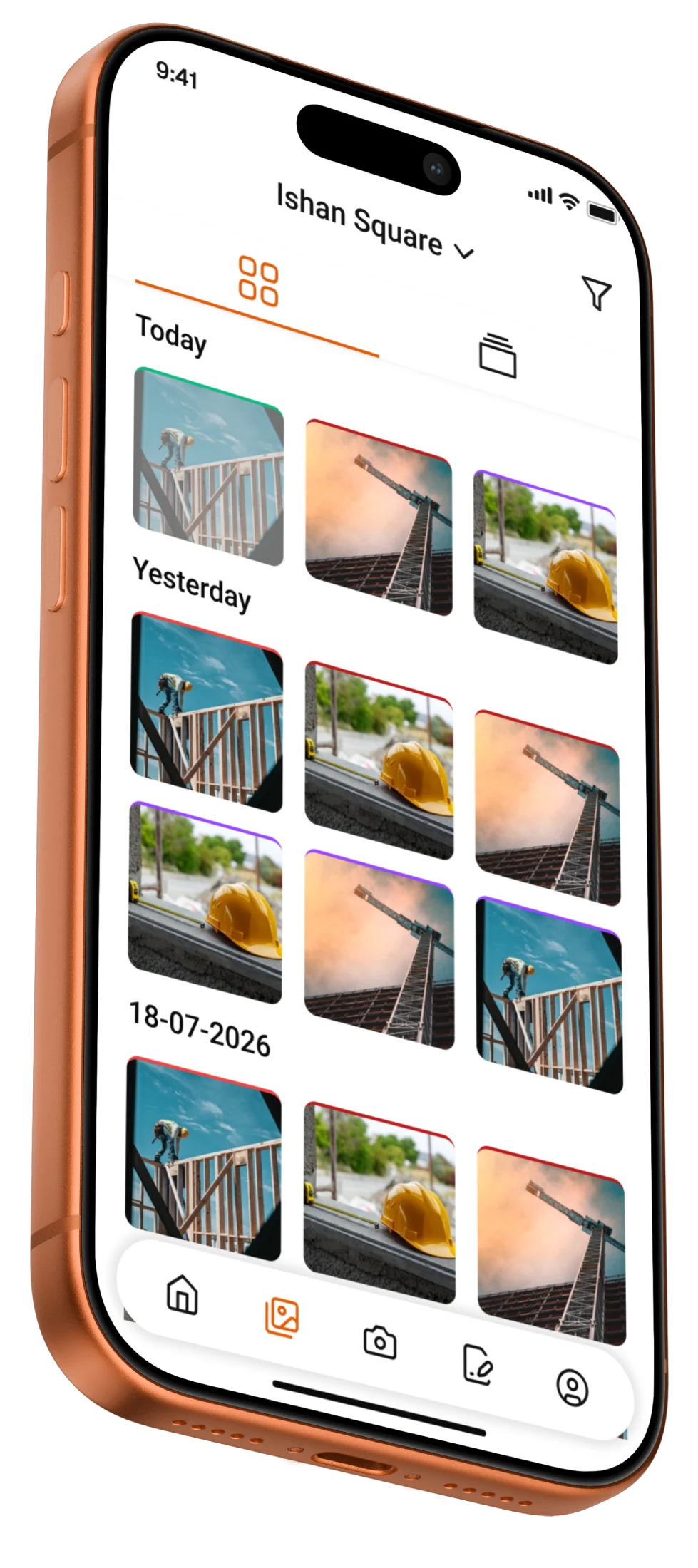
- Every construction project deserves a trusted record →
Build the Record As. the Work Happens.
Construction teams already take the photos. The problem begins afterwards, when those images become mixed with personal camera rolls, buried in WhatsApp chats, or left sitting on somebody else’s phone.
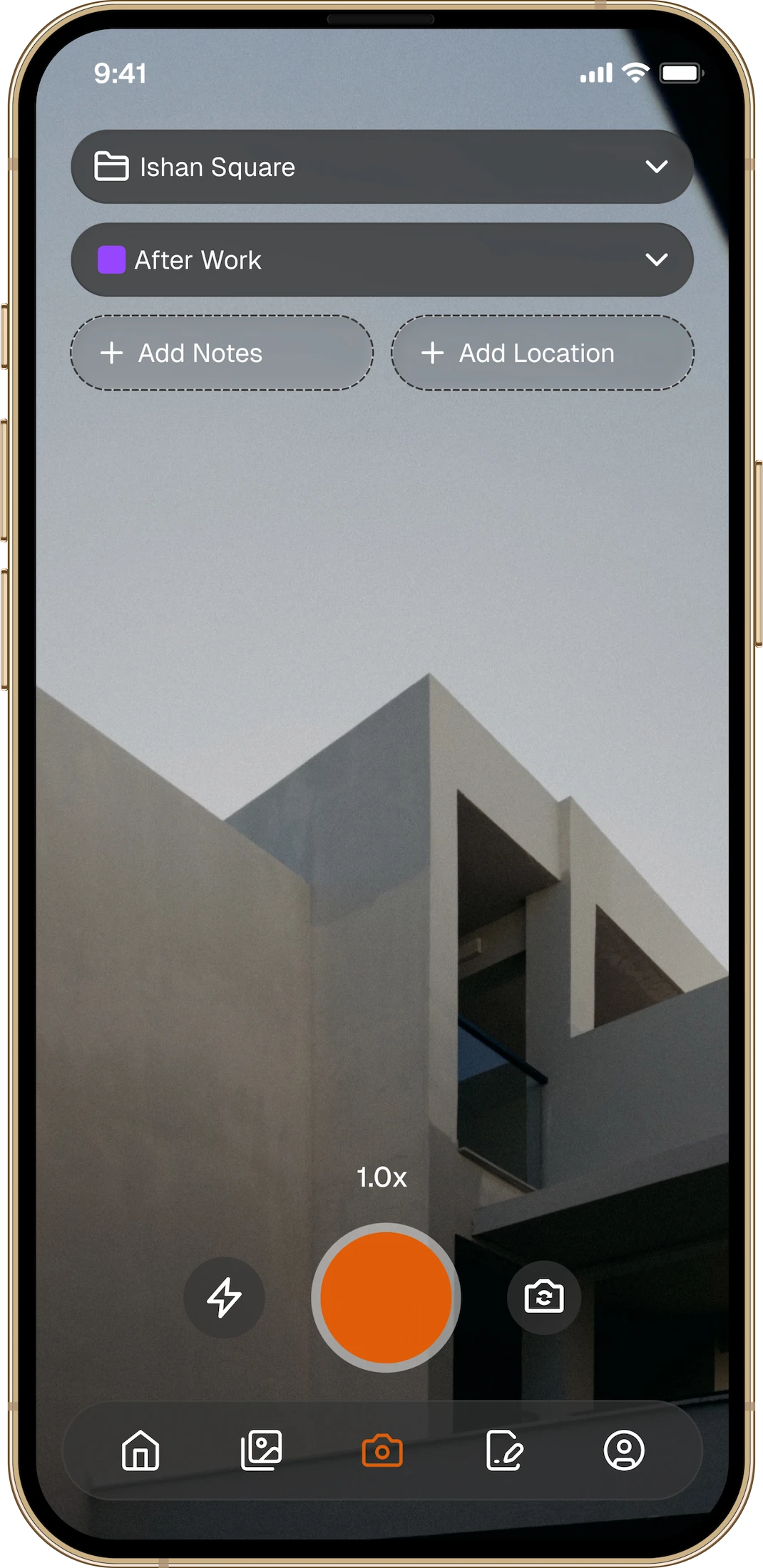
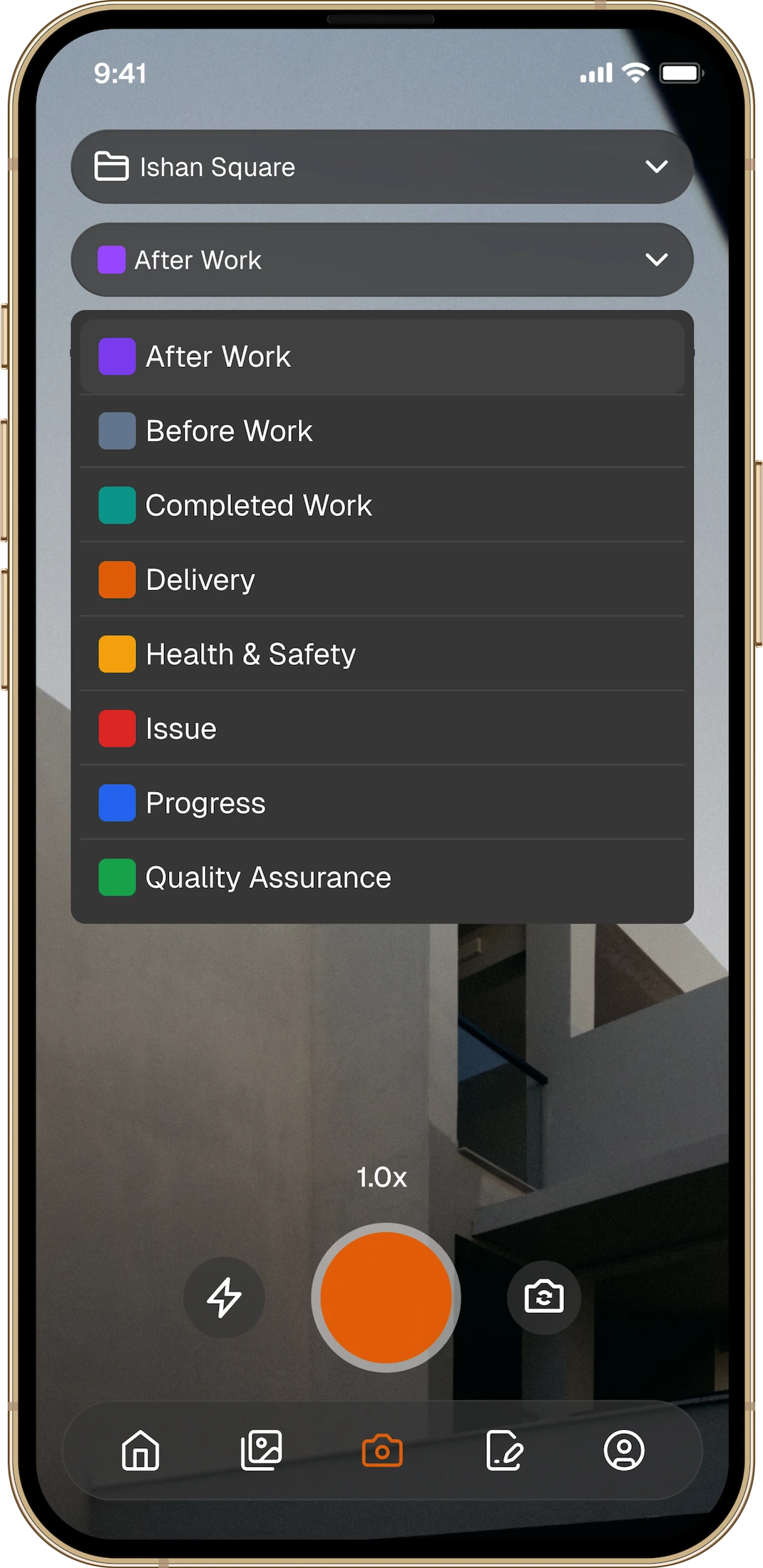
Thanex gives everyone on the project one simple way to capture what matters. Choose the project, select the Photo Type, and take the photo. Each image becomes part of a connected record, complete with who captured it, when, where, and what it shows.

Thanex. The Work Camera.
Just take the photo. The job remembers.
Live project
Site users
Photos
First-time tagging accuracy
All observed mistakes self-corrected without manager intervention.
- From site to office →
Give Everyone a Clearer View of The Job
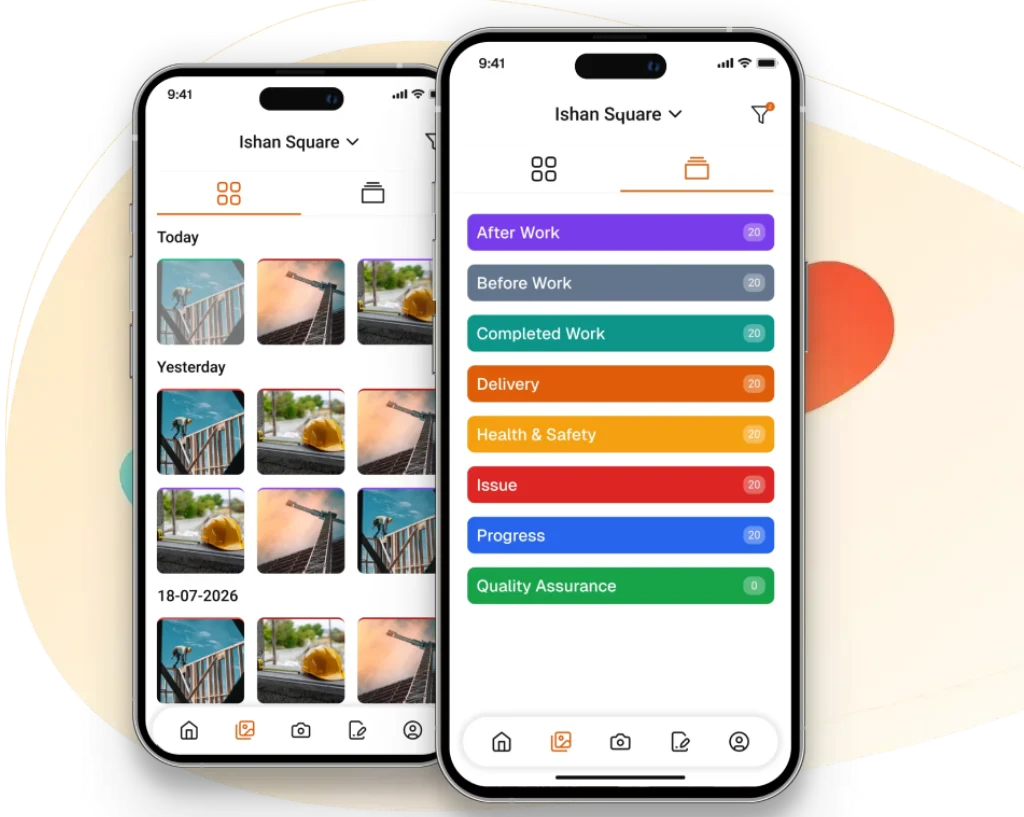
The people on site already know what happened. The challenge is making sure managers, engineers, and office teams can see the same picture without waiting for updates, digging through messages, or asking for site photos the team has already take. Thanex keeps each image connected to the project as the work happens, giving everyone with access a clearer, current record of progress.
Faster
decisions
Smoother progress meetings
Clearer
handovers
Fewer
gaps
- How it works
Just Take the Photo. Thanex Builds the Record.
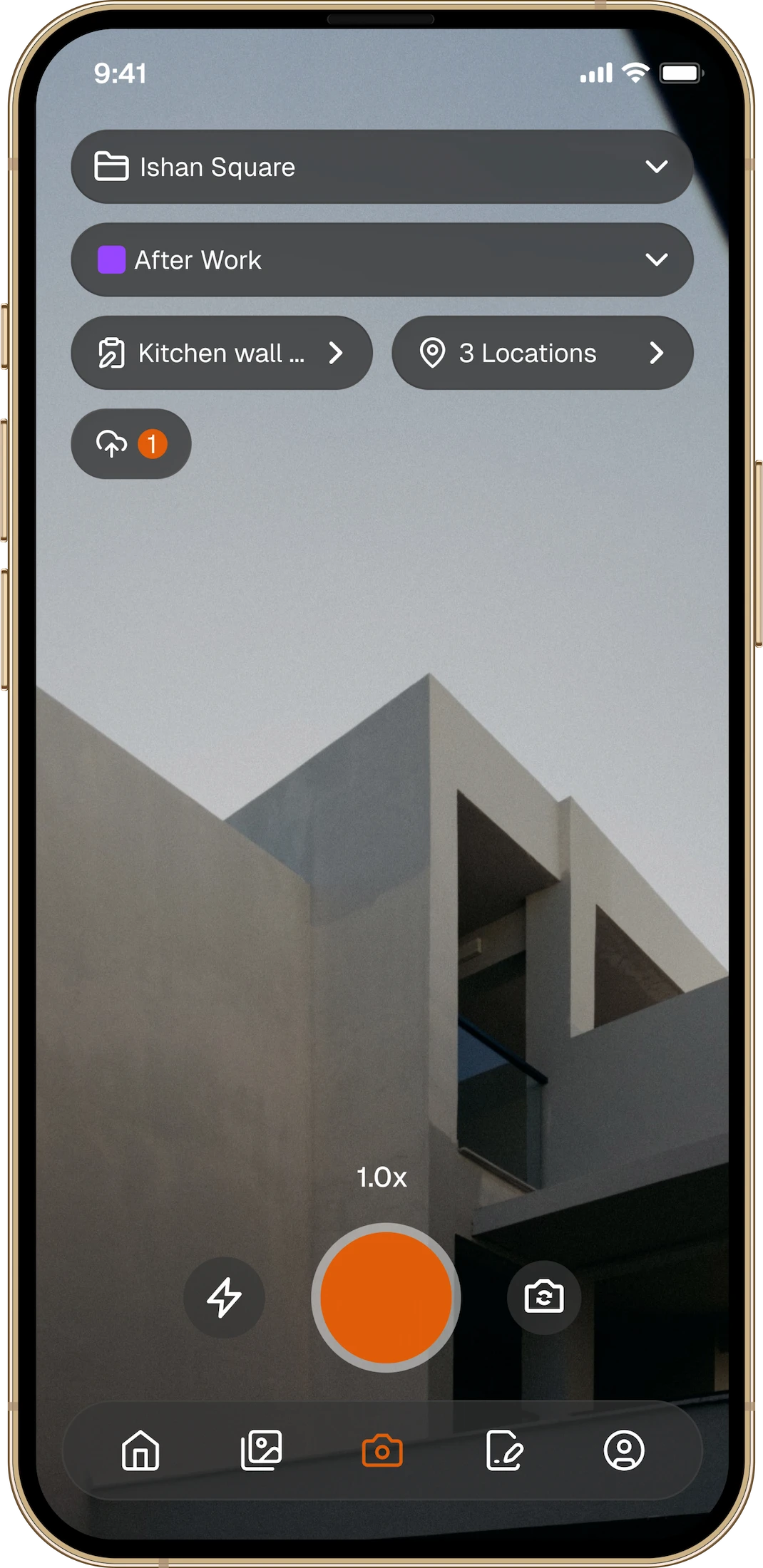
Thanex works as a GPS camera with location details built into every project photo, recording who captured it, where it was taken, when it happened, and what part of the job it belongs to.
01
Choose the Project
Give the photo the right place to belong from the start.
- How it works
Just Take the Photo. Thanex Builds the Record.
Thanex works as a GPS camera with location details built into every project photo, recording who captured it, where it was taken, when it happened, and what part of the job it belongs to.
02
Select Photo Type
Progress, quality, deliveries, issues, completed work, or whatever the job calls for.
- How it works
Just Take the Photo. Thanex Builds the Record.
Thanex works as a GPS camera with location details built into every project photo, recording who captured it, where it was taken, when it happened, and what part of the job it belongs to.
03
Take the Photo
Thanex adds the context and makes the image part of the shared project record automatically.
- Built for the way you work →
One Camera. Built for Every Part of the Job.
For Individuals
Keep site photos out of your personal camera roll, organise each project as you go, and find proof quickly when somebody asks for it.
For Businesses
Give teams one simple way to capture work, see project progress, and keep trusted records connected to the company when people move on.
- From records to answers →
Connect Thanex to the AI You Already Use
How many deliveries arrived last month? Where was a defect recorded? What work was completed in a specific location?
Thanex gives every photo the project context it needs from the moment it is captured, then connects your record to existing AI tools such as Claude or ChatGPT through MCP. Your chosen AI can search that structured information and help answer practical questions about the job, with the original evidence still connected.
Thanex builds the record. Your AI helps you use it.
- The thanex difference →
Construction Photo Management Built Around a Trusted Project Record.
Organised at Capture
Most systems ask you to organise site photos later. Thanex connects every image to the right project while the work is happening.
The Work Camera
Keep work where it belongs. Your personal camera roll stays personal, while every project photo becomes part of the job record.
Context You Can Trust
Each photo stays connected to the right project, person, place, time, and Photo Type, giving the image meaning long after it was taken.
Simple by Design
Choose the project, select the Photo Type, and take the photo. No complicated training or unnecessary field admin required.
Built for Construction
Thanex follows the way construction teams already capture work, rather than forcing them into another complicated system.
Connects With Existing AI
Connect your project record to tools like Claude or ChatGPT to search captured information and find practical answers faster.
- Reviews →
What Thanex Users Say
No more digging through camera roll!!!!
Genuinely useful for site work. Used to lose track of progress photos in my camera roll, now they’re sorted by project so I can find proof of work in seconds when a client asks. Easy to use, doesn’t slow you down on site. Recommend for anyone in trades/construction.
C Lari
APP STORE
Finally
Simple to use, powerful and built for professionals.If you take work photos, you need this.Highly recommend!
Behar1999
APP STORE